
User Tags
Manage your team with User Tags
User Tags
This feature allows you to manage your team more easily by allowing you to create user groups which you can use to manage your workflows.
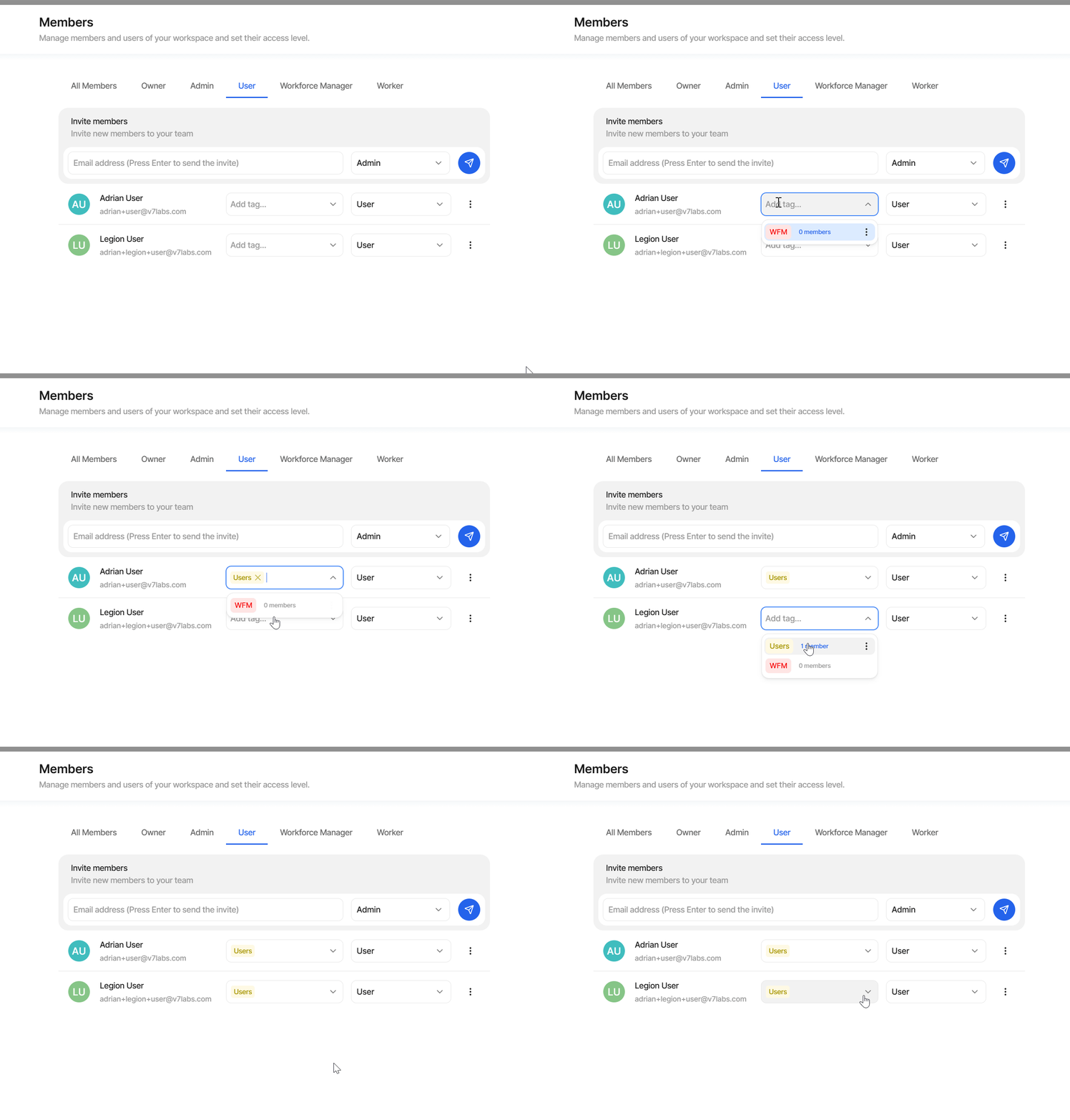
To create a new User Tag, navigate to the Members tab of the Settings page in V7. Simply start typing the User Tag name in the text box:
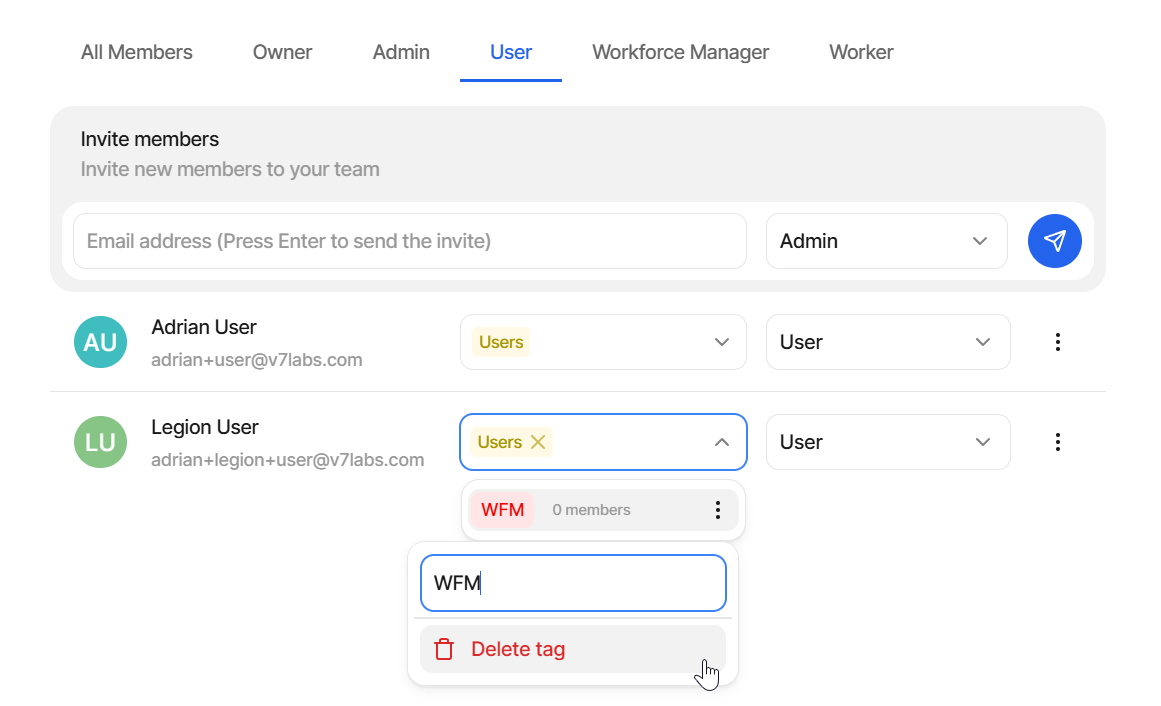
You can delete existing User Tags in the Members section as well by clicking on the three-dot menu of any of the User Tags:
Manage your workflows
The main purpose of creating this feature is to improve Workflow management. You can use your User Tags to assign multiple users to a Workflow Stage in one click:
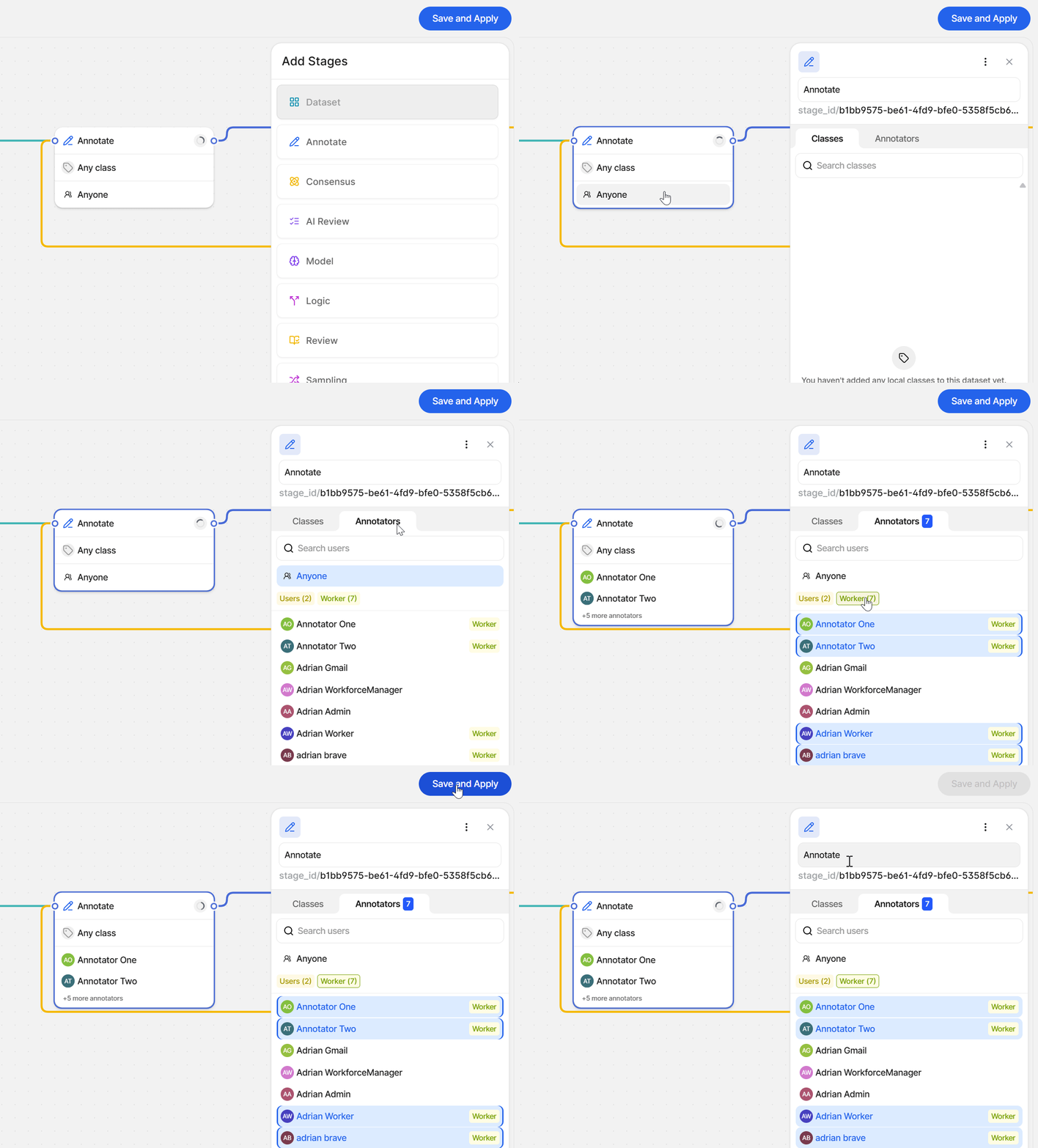
You can combine multiple groups together with individual users for seamless workflow management.
If you don't have access to the User Tags feature, please reach out to us at [email protected]
Updated 4 months ago